


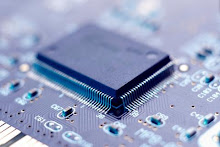
Graphene: Flexible touch screen, made from a sheet of carbon the thickness of one atom! |

- Graphene: Flexible touch screen, made from a sheet of carbon the thickness of one atom!
- Earthquake in Canada: Did You Feel It? USGS Interactive Earthquake Website
- Updated: Coding for Multimedia Interaction On ( and Around) Screens of All Sizes - with some interesting links
- Coding for Multimedia Interaction On (and Around) Screens of All Sizes
| Graphene: Flexible touch screen, made from a sheet of carbon the thickness of one atom! Posted: 23 Jun 2010 02:45 PM PDT Catching up on reading the MIT Technology Review, I came across an article written by Nidhi Subbaraman about the use of graphene to make flexible displays: Flexible Touch Screen Made with Printed Graphene: Sheets of atom-thick carbon could make displays that are super-fast The most recent version of graphene was created by researchers in Korea at the Sungkyunkwan University, in collaboration with Samsung. According to the article, graphene was discovered over thirty years ago, but only recently have researchers been able to produce it in large mono-layers. This flexibility looks like it will have possibilities for future display applications, as noted in the video clip below the photos.  Photo Credit: Byung Hee Hong, SKKU.  Photo Credit: Impact Lab "Future Applications of Graphene" RELATED Roll-to-roll production of 30-inch graphene films for transparent electrodes Nature Nanotechnology 6/20/2010 Sukang Bae, Hyeongkeun Kim, Youngbin Lee, Xiangfan Xu, Jae-Sung Park, Yi Zheng, Jayakumar Balakrishnan, Tian Lei, Hye Ri Kim, Young Il Song, Young-Jin Kim, Kwang S. Kim, Barbaros Özyilmaz, Jong-Hyun Ahn, Byung Hee Hong & Sumio Iijima ABSTRACT: "The outstanding electrical1, mechanical2, 3 and chemical4, 5 properties of graphene make it attractive for applications in flexible electronics6, 7, 8. However, efforts to make transparent conducting films from graphene have been hampered by the lack of efficient methods for the synthesis, transfer and doping of graphene at the scale and quality required for applications. Here, we report the roll-to-roll production and wet-chemical doping of predominantly monolayer 30-inch graphene films grown by chemical vapour deposition onto flexible copper substrates. The films have sheet resistances as low as ~125 Ω □−1 with 97.4% optical transmittance, and exhibit the half-integer quantum Hall effect, indicating their high quality. We further use layer-by-layer stacking to fabricate a doped four-layer film and measure its sheet resistance at values as low as ~30 Ω □−1 at ~90% transparency, which is superior to commercial transparent electrodes such as indium tin oxides. Graphene electrodes were incorporated into a fully functional touch-screen panel device capable of withstanding high strain." Korean Researchers Open Door to Bendable Electronics (Includes information from an interview with Hong Byung-hee, a chemistry professor at Sungkyunkwan University) Graphene OLED Thin Film Displays Nanogenerators: Fully Rollable Transparent Nanogenerators Based on Graphene Electrodes Advanced Materials, Vol.22, No. 19 5/18/2010  http://interactivemultimediatechnology.blogspot.com   |
| Earthquake in Canada: Did You Feel It? USGS Interactive Earthquake Website Posted: 23 Jun 2010 01:02 PM PDT Today there was an earthquake in Canada on the Ontario-Quebec border region. It was felt around the region, including Michigan. Curious, I took a look at the United States Geological Survey interactive website about earthquakes to learn more: Did You Feel It? The Science Behind the Maps Here's some info about the earthquake from the USGS website: "This earthquake occurred near the southern edge of the Western Quebec Seismic Zone. Earthquakes within this zone are mostly small. They tend to cluster in a wide area that is slightly elongated northwest-southeast. Historically, earthquakes in the Western Quebec Seismic Zone have caused damage roughly once a decade. Three or four smaller events each year are felt in the region but are generally too small to cause damage. The largest earthquakes known in this part of Canada occurred in 1935 (M6.1), about 250 km (150 miles) to the northwest of todays event, and in 1732 (M6.2), about 150 km (100 miles) to the east. The 1732 earthquake caused significant damage in Montreal" -USGS Here are a few videos uploaded to the web regarding the earthquake, which provide the human side of the story: EARTHQUAKE IN QUEBEC: "I think we DID have one" For some reason, I like this one. The man is narrating a video clip about the BP spill, pretty boring, and at 1:15 or so, he notices that the ground is shaking. He tells someone in the background to go outside. I like the Canadian accents. http://interactivemultimediatechnology.blogspot.com   |
| Posted: 23 Jun 2010 08:46 AM PDT The last time I created an application for a mobile device was about four years ago. It was in the olden days when most of us knew nothing about multi-touch interaction on any size or sort of display. Soon after that, I focused my work on large displays, and tried not to get too distracted by the iPhone when it was introduced. I can't ignore the iPad, as I think it holds a ton of potential for education and supporting people with special needs. I can't ignore Android, since I have an Incredible. (I'm tethered to a never-ending family contract with Verizon.) I have to figure things out during my summer break, right? Brushing up on my "old" coding skills won't move me forward. Soooooo....... On top of everything else* I'm trying to pack in, I plan to take a peek at Sencha Touch http://www.sencha.com/products/touch/, an HTML 5 mobile application framework that allows for Apple iOS and Google Android touchscreen devices. I am searching for the magic solution that will allow the development of applications that allow for smooth interaction across screens of all sizes, from smartphones to huge displays. Summer is a great time for dreaming and searching, but it is so short. Time-saving advice from my readers would be greatly appreciated! I'm also looking for good information about programming for stereoscopic 3D games for my series of posts about 3D innovations. *What I'm trying to pack in: Volunteering for the Society for Information Display, working on a SMARTTable app, exploring ideas for a multi-dimensional interactive timeline, etc. RELATED Parallel Timelines SOMEWHAT RELATED FYI: Recent posts on The World Is My Interface blog WSJ's Interactive Graphics: China's Housing Markets, via Innovative Interactivity The First Self-replicating Cell with a Computer for a Parent: Synthetic Life More TED Talks: Chip Conley's discussion about measuring what makes life worthwhile Fractals in our world: "I'm a mathemetician and I'd like to stand on your roof" - Ron Eglash on African Fractals http://interactivemultimediatechnology.blogspot.com   |
| Coding for Multimedia Interaction On (and Around) Screens of All Sizes Posted: 23 Jun 2010 05:26 PM PDT Here is the updated version of post: http://interactivemultimediatechnology.blogspot.com/2010/06/updated-coding-for-multimedia.html http://interactivemultimediatechnology.blogspot.com   |
| You are subscribed to email updates from Interactive Multimedia Technology To stop receiving these emails, you may unsubscribe now. | Email delivery powered by Google |
| Google Inc., 20 West Kinzie, Chicago IL USA 60610 | |


